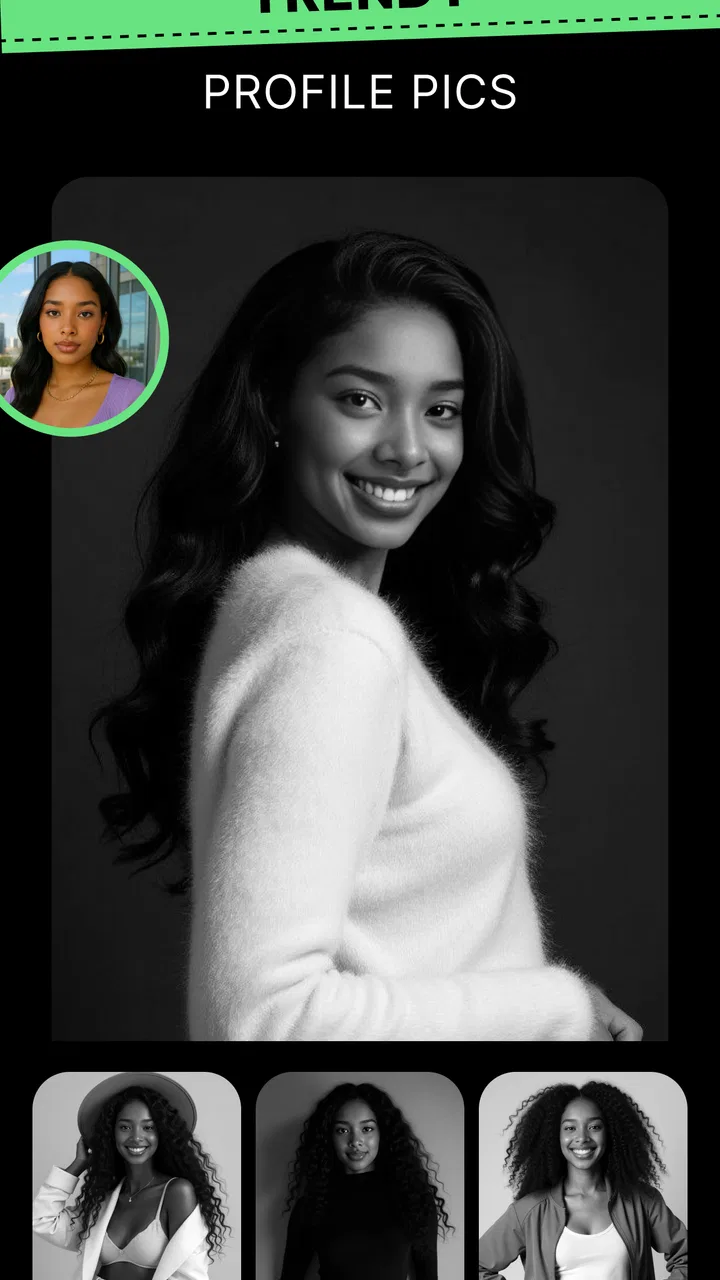
NewProfilePic: Profile Picture
- 4.2
- Rating
- 5.00M
- Installs
- Free
- Price

 Analysis by App-foxy
I approached NewProfilePic: Profile Picture as a focused photography app rather than a full replacement for a traditional editor. Its main appeal is simple: it turns an ordinary portrait into a more stylized profile image through cartoon treatments, effects, and filters. That sounds like a small job, but it solves a very familiar problem. Many of us have plenty of photos and still do not have one that feels right for a messaging account, social profile, or gaming identity.
After using it, my view is that the app works best when you want a quick visual change without learning layers, masks, brushes, or complicated adjustment panels. It is not trying to be a complete photo studio. Instead, it takes the decision-making out of much of the editing process and makes the choice of a new profile picture feel more like browsing creative directions than manually building an image.
The app comes from PHOTO LAB DMCC and sits in the Photography category. It is free to install, suitable for Everyone, and has reached over 5 million installs. Its average rating is 4.2 from around 108 thousand ratings, which suggests that the basic idea connects with a large audience while still leaving room for individual preferences about style, results, and the overall experience.
You May Also Like

 Google Keep - Notes and lists
Google Keep’s Quiet Growth Shows the Appeal of Simpler Notes
As mobile work gets busier, Google Keep keeps winning a simple contest: capture a thought quickly, find it later, and get on with the day.

 Blood Strike: 2.5 Anniversary
Blood Strike’s Loadouts Turn Every Drop Into a Tactical Gamble
A close look at Blood Strike’s custom loadouts: how fast access to signature weapons reshapes its battle royale rhythm, rewards preparation, and narrows the gap between fights.

 Pandora - Music & Podcasts
Pandora’s Music Is Easy to Start, but Harder to Recover
Pandora’s strength is its low-effort path from a seed to a station. Its weak spot is how much confidence it asks you to place in connection, setup, and quiet recovery.

 8 Ball Pool
 Is Built on Rivalries, Rematches, and Routine
A close look at the rivalries, rematches, shared routines, and unanswered safety questions that turn a quick pool match into a persistent mobile community.

 Samsung Music
’s Quiet Strength Is Playing What You Already Own
Its reach comes less from spectacle than from dependable access to a personal library. That simplicity is both the app’s strongest retention engine and its ceiling.

 AccuWeather: Weather Radar
AccuWeather Review: A Quick, Clear Forecast for Everyday Decisions
For everyday plans, the best forecast is the one you can understand quickly. AccuWeather makes rain timing, radar, and local conditions easy to act on, with a few trade-offs.
More From Our News Desk



Why the cartoon profile-picture approach matters
The strongest capability here is not merely adding a filter. It is the way a familiar face can be repositioned as a visual identity. A normal selfie communicates what you look like at one moment; a cartoon-style portrait can communicate how you want to appear. That distinction matters when the image is small, circular, and viewed beside a username.
In my experience, the effect is most useful when the original photo is recognizable but not especially polished. A casual indoor portrait, a quick selfie, or a picture with a plain background can gain more personality from a stylized treatment than it would from ordinary brightness and contrast adjustments. The result does not need to look realistic to be useful. In fact, the slight distance from reality is often the point.
This is also why the app feels different from a conventional photo editor. With a conventional editor, I would normally start by correcting exposure, cropping the frame, balancing color, and perhaps removing distractions. Here, the first question is more expressive: which version of this face feels most like the identity I want to present? That makes the app especially approachable for people who find editing tools tiring or who simply want a result quickly.
The capability has limits, though. A cartoon treatment cannot rescue every source image. If the face is heavily shadowed, partly hidden, very small in the frame, or blurred by movement, the transformation may feel less convincing. I found that choosing a clear portrait with the face facing the camera gives the app a much better starting point than trying to force a dramatic effect onto a difficult image.
Choosing the right source photo
The most useful improvement to my workflow was becoming selective before applying anything. I would first look for a photo where the face occupied a reasonable part of the frame, the eyes were visible, and the expression matched the mood I wanted. This saved time because a striking effect cannot compensate for a weak pose or an awkward crop.
For a professional-looking account, I would choose a relaxed expression and a simple background. For a gaming profile or a casual social account, I would be more willing to use an unusual expression or a stronger visual treatment. The same source image can communicate very different things depending on the effect, so I would not judge the app from one rushed selfie alone.
A practical tip is to keep the intended display size in mind. Profile images are often viewed as small circles or compact squares. Fine background detail may disappear, while the shape of the face, hair, glasses, and overall contrast remain noticeable. I prefer effects that preserve those recognizable features instead of choosing the most dramatic transformation every time.
What using it feels like
The experience is built around experimentation. Rather than spending a long time adjusting individual controls, I can compare visual variations and decide which one has the right balance between resemblance and creativity. That makes it easy to create several candidates for different accounts without treating the task like a serious editing project.
I would still take a moment to inspect the finished image at a larger size before using it. Stylized portraits can look attractive at first glance but reveal awkward details when examined more closely. Hair edges, facial proportions, and the relationship between the face and background are the areas I pay attention to. If the image looks strange when enlarged, it may look even less natural once reduced to a tiny avatar.
The app’s free entry point is helpful for trying the concept without committing immediately. At the same time, the presence of in-app purchases ranging from $0.99 to $149.99 per item means I would pay attention to what is available at no cost and what requires payment before building my whole workflow around a particular style. The broad purchase range makes it especially sensible to explore first and buy only when a result genuinely earns a place in your profile.
A realistic everyday use case
Imagine that I am joining a new group chat for a hobby. I do not want to use a formal headshot, but I also do not want a random holiday photo with several other people in it. I can choose a clear portrait, try a few cartoon directions, and select an image that remains recognizable while feeling more relaxed and distinctive.
That same workflow works for a social account where the current picture is old or poorly cropped. Instead of searching through a large camera roll for a perfect photograph, I can start with a decent image and use the style to give it a fresh identity. The value is not that the app creates a flawless portrait from nothing; it is that it lowers the effort needed to turn an acceptable photo into something I am happier to display.
I also see a use for people who maintain separate personal and public profiles. A stylized portrait can create some visual separation without requiring a completely different face or a fabricated character. It gives the user a way to keep the image personal while making the context feel different.
Where it compares well with usual alternatives
Compared with a standard camera app, this is much more purposeful. A camera app helps me capture the image, but it does not necessarily help me decide how that image should function as an avatar. Compared with a general editor, NewProfilePic: Profile Picture is less flexible but easier to approach. I do not need to understand a long sequence of adjustments before seeing a meaningful change.
A general editor remains the better choice when I need precise control. If I want to remove a particular object, repair a small area, build a custom background, or match colors across several images, a dedicated editing tool will usually give me more dependable control. This app is better when the desired outcome is a quick, expressive portrait rather than a carefully constructed composition.
It also differs from avatar makers that create a character from separate facial parts. Those tools can offer more control over clothing, accessories, and illustration style, but the output may feel less like the actual person. This app’s appeal is the connection to a real photograph. For me, that makes it a better fit when recognition matters and a worse fit when I want a completely invented identity.
The tradeoffs I noticed
The first tradeoff is control versus speed. The app’s appeal depends on not making me manage every technical detail, but that convenience also means I may not be able to correct every result exactly as I would like. If the effect changes a feature in a way I dislike, the practical answer may be to try another source photo or another treatment rather than fine-tune the result endlessly.
The second is consistency. A single portrait can look excellent while another photo of the same person produces a less convincing outcome because of lighting, angle, or expression. I would not assume that one successful result means every image in my gallery will work equally well. The app rewards some preparation, even though the editing itself is quick.
The third is originality. Stylized profile pictures are more distinctive than an unedited selfie, but popular visual treatments can still create a similar feel across many users. If I needed a truly individual brand image, I would combine a carefully chosen portrait with more deliberate design work elsewhere. For a casual profile, that limitation is minor; for a creator or business identity, it becomes more important.
There is also a question of value for users who only change a profile picture once. The free version makes experimentation accessible, but paid items may be difficult to justify if I am satisfied with one basic result and rarely edit photos. Someone who enjoys refreshing avatars often will gain more from the app than someone looking for a one-time correction.
Who will get the most from it
I would recommend it most strongly to people who want a recognizable but playful profile image, especially those who do not enjoy traditional editing software. It suits users who like comparing visual styles, want a faster route from selfie to avatar, or need a fresh image for several online spaces without creating each one manually.
It can also help anyone who feels uncomfortable using a highly realistic portrait online but still wants the image to represent them. The cartoon approach creates a little distance while preserving personal character. That is a meaningful middle ground between using a plain photograph and hiding behind a completely unrelated graphic.
I would be more cautious about recommending it to photographers, designers, or anyone who expects detailed retouching controls. It is also not my first choice for a formal professional headshot, where natural skin tone, accurate proportions, and restrained editing may matter more than personality. In those cases, a clean original portrait and a precise editor are safer choices.
Parents and younger users may appreciate the Everyone content rating, but I would still treat any photo-sharing decision thoughtfully. The age label describes the app’s content suitability; it does not replace sensible judgment about which personal images to use publicly. I would choose a photo that reveals only what I am comfortable associating with an account and avoid treating the app as a reason to publish more personal information than necessary.
Version, access, and the practical decision
The current version is 0.5.32 and it supports devices running Android 7.0 or later. That gives the app a reasonably broad reach for Android users with older phones, although the quality of the final image will still depend on the source photo and the device’s own camera capabilities. A newer phone can provide a cleaner starting portrait, but the concept does not require flagship hardware to make sense.
Because it is free to start, I think the best approach is to test it with two or three different types of portrait: a straightforward head-and-shoulders image, a casual outdoor shot, and a photo with a more expressive pose. This small comparison reveals whether the app suits your personal photos better than a single trial can. It also helps separate a weak source image from a style that genuinely does not appeal to you.
My final judgment is positive, with a clear boundary. This is a useful cartoon photo editor for profile pictures when the goal is speed, personality, and an image that still feels connected to the real person. It is not a substitute for a complete photo editor, precision retouching, or custom graphic design. I would recommend starting free, choosing the source photo carefully, checking the result at avatar size, and only considering in-app purchases after finding a style you would actually use.
For my own everyday use, the app earns its place when I want to refresh an online identity without turning the task into a project. Its best result is not necessarily the most exaggerated one. The strongest profile picture is usually the version that keeps my face recognizable, adds enough character to feel intentional, and remains clear when displayed small. That focused purpose is exactly where NewProfilePic: Profile Picture makes the most sense.
FAQs for NewProfilePic: Profile Picture
01What is NewProfilePic: Profile Picture used for?
NewProfilePic: Profile Picture is a photo-editing app designed to create attractive profile images for social networks and messaging platforms. It can apply artistic effects, stylized filters, background changes, and other visual adjustments to an existing photo. In practice, it is most useful for users who want to refresh their avatar without learning complicated editing software or manually building a design from scratch.
02Is NewProfilePic: Profile Picture free to download and use?
The app can generally be downloaded without an upfront payment, but some features, effects, or editing options may depend on the current version and subscription model. Before confirming a purchase, check the app’s store listing and the in-app pricing screen carefully. Free access may be enough for basic profile-picture creation, while premium tools can require a recurring payment or one-time purchase.
03Does NewProfilePic require an internet connection?
An internet connection may be needed for downloading the app, loading certain effects, processing images through online services, or displaying advertisements. Basic access to photos and previously available editing tools may work differently depending on the device and app version. If you plan to edit pictures while traveling or using mobile data, it is worth testing the app over Wi-Fi first and checking whether processing consumes significant data.
04Is NewProfilePic: Profile Picture safe for personal photos?
As with any photo-editing application, users should review the requested permissions and the developer’s privacy policy before importing personal images. Pay attention to access to your photo library, camera, device information, and any upload or processing disclosures. Avoid using highly sensitive photos unless you understand how they are handled, and revoke permissions or remove saved projects if you no longer intend to use the application.
05How do I save or share a profile picture created in the app?
After finishing an edit, NewProfilePic typically provides an option to save the result to the device or share it directly through compatible social and messaging apps. The exact buttons and export quality can vary by platform and version. Review the preview before saving, especially around the face and background, because some effects may crop the image into a square format or add branding unless an available option removes it.
Pros
- Creates polished profile photos with just a few taps.
- Offers artistic styles beyond standard portrait filters.
- Simple interface makes editing accessible for beginners.
- Useful for refreshing social media avatars quickly.
- Previewing different effects is fast and convenient.
Cons
- Many attractive styles may require a subscription or payment.
- Results can look overly artificial on some faces.
- Processing may take longer with complex effects.
- The app may request access to personal photos.
- Generated images may not always preserve facial details accurately.

NewProfilePic: Profile Picture
Gallery